


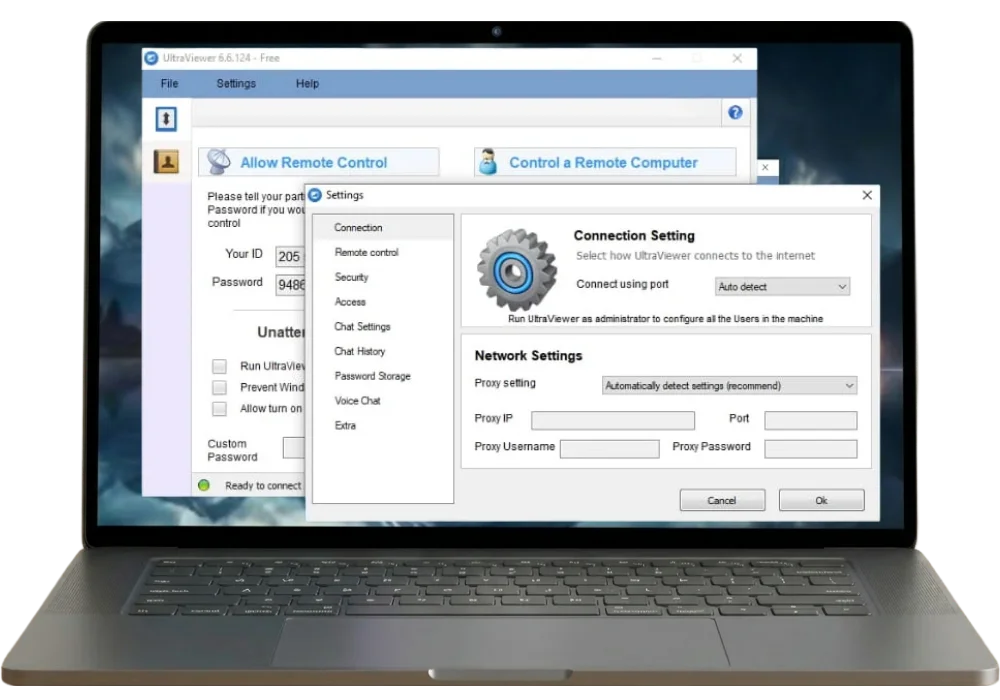
Have you ever needed to help someone with their computer but they are too far away for you to physically access it? OR maybe you need someone to help you troubleshoot an issue but they are not in the same location as you. That’s where UltraViewer comes in.
UltraViewer is a remote desktop software that allows you to access another computer from your own, no matter where they are located. There are two ways of connecting. You can have someone connect to you or you can control someone else’s computer.
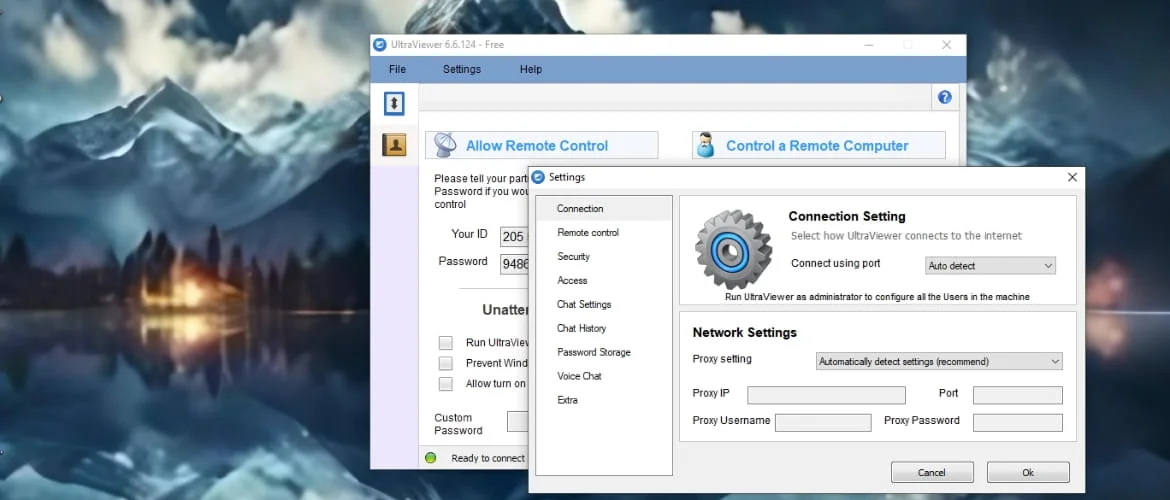
The first one is going to allow remote control to someone else and the second one is going to be controlling someone else’s PC. For your PC to be controlled, you need to give your ID to the person that will be controlling your PC. On the other hand, if you are controlling someone else’s PC, you will also need the same data; the ID of the person and the password.
It works almost the same as that of Team viewer. However, it is an economical alternative to this app which requires ID and password to access the computer remotely. If you have any issues with the ID system, another option is to get access through your Email ID. It will synchronize your contacts and will manage all the accounts associated with your device with one single account.
What is UltraViewer
UltraViewer is a light weight, remote software tool that lets you control a PC from anywhere. It is designed for remote technical support, facilitating online meetings, work from home and simple computer control.
It works almost the same as Team viewer that lets you take control between devices remotely, share screens, talk through chat and send files through this app easily. It doesn’t require any complicated process. You just need an ID and password to connect. It is so simple that even a non-technical person can use it easily.
It secures your connection with encryption and works only when the other person allows you to connect. You don’t need any registration and subscription to use it. It is a free alternative to famous tools like Team viewer and Any desk.
Why Choose This Tool
- Provides remote technical Support.
- Fix software errors.
- No distance barrier.
- Transfer large files.
- Turn on the remote sleeping computer.
- 4K resolution.
- Computer directory.
- Create you own logo version.
- Record video.
- Increase control speed.
App Specifications
Below is a detailed overview, technical specifications and core capabilities.
| Software Name | UltraViewer |
| Type | Remote Desktop Software |
| Supported OS | Windows 7, 8, 10, 11 |
| License | Free |
| Connection Method | ID & Password |
| Security | 256 bit encryption |
| CPU & Memory Usage | Low, energy efficient mode |
| Total Downloads | 500 M+ |
| Interface | beginner friendly |
| Version | v6.6.124 |
| Size | 3.5 MB |
Core features
Remote desktop access
It connects one computer to another by means of an ID and a password. Once the connection is made, you get the control of the mouse and keyboard of the computer. It will help fixing the bugs, give technical support and access files from far places.
Free remote access
UltraViewer remote software tool is completely free for both commercial and personal users. Accessing another computer from remote places does not require any subscription fee.
Sharing files between computers
Transferring files between two computers has been made possible with this software tool. It lets you send and receive files during a remote session.
Chat feature
It supports Live chat during remote sessions. This feature lets the users communicate between the remote sessions.
Manage multiple monitors in remote sessions
It lets you control multiple screens from a remote computer. Remote control has become easier with this multi monitor support.
Screen sharing with view-only mode
You can share your screen with other users but with limited control. This view only feature is ideal for training, guiding and remote presentations.
Secure remote sessions with AES 256 Encrypted connection
The remote connection between the two users is secured with AES-256 encryption. It ensures safety of your remote sessions.
Remote access using NAT & firewall
This software tool ensures safety of your remote access through NAT & firewall. No complicated setup is needed.
Ease of recording sessions
You can record your remote sessions and meetings using this software tool. It is great for tracking files, future referencing and reviewing.
Remote wake feature
This feature lets you turn on the remote computer anytime. This wake-on-lan feature allows you to access your remote computer when it is powered off.
Customizable theme
It allows you to switch between light & dark themes. This customization feature gives more comfortable and better working experience.
Efficient use of CPU & RAM
This tool runs on energy efficient mode using minimal CPU and memory. This feature is helpful for older and low powered computers.
How It Works
Installation of the app on both PCs
The first step is to install UltraViewer on both the computers. The process is simple and easy and will not take much of your time.
Connection using ID and password
You will receive an ID and password once the installation is done. This ID and password is required to control another computer remotely. It keeps your connection safe and secure.
Remotely controlling the computer
This ID and password will let you take control of another computer. The other person whose computer you are controlling, can watch all the action live on your screen.

Perks of using UltraViewer
- Time saver.
- Energy efficient.
- Reduce travel expenses.
- Reduce employee costs.
- More professional support.
- Easy access from anywhere.
Practical application
Small IT startups
UltraViewer is specifically useful for small businesses as it does not require personal visits to fix the issues. It saves time and energy.
Freelancers and remote Technical support teams
It lets you help your client from your place without visiting the site. It will help freelancers and other remote workers work faster and smarter.
For personal need to remote access
It lets you open your home or office computer from far places easily. It is extremely helpful in case you forget any file or miss an urgent official task.
Teaching and training
It allows you to conduct live sessions and online classes for teaching and demonstrations.
Privacy & Security
Your remote sessions and demonstrations are secured with powerful encryption with UltraViewer. It means that all the data shared between the two computers is safe and cannot be accessed by others.
The remote access to the computers is made safe by the help of a digital security key that serves to lock the channel. This security key system protects the remote sessions so that no one can spy the sessions and alter the data while it is being shared.
Conclusion
UltraViewer is a valuable remote desktop software tool that lets you control another computer from your PC remotely. People with no or little technical literacy can use it easily because of its easy-to-use interface.
A simple ID & password lets you control another computer, share your screen, send and receive files and troubleshoot problems without any need to be present physically. It saves your time, energy and travel cost. In addition, it allows you to chat during LIVE sessions, share screen and record sessions for your convenience.
It is a perfect choice for those who want an easy and economical version of remote desktop tool. You can easily use it for remote technical assistance, learning and PC access.